CLASS OF 2026
COMMENCEMENT
ANNOUNCEMENTS
GRADUATION CEREMONY RECORDING DOWNLOAD
Congratulations on your graduation from Mercy High School! We are extremely proud of you for all you have accomplished. The graduation ceremony was a joyous event during which each of you were poised and beautiful.
The graduation ceremony is being shared via Vimeo, which will allow you and your family to view the video on any device and download it to make a copy on any format you would like for your own personal use. Listed below are step-by-step instructions on how to access, view, download and save.
- Click: Graduation Ceremony Vimeo Download
- Enter password: 29300
- There is no login required.
- Follow the on-screen prompts to click the play arrow to watch or click Download icon listed below the video title.
Many blessings to the Class of 2026 - Once a Mercy Girl, Always a Mercy Girl!
GRADUATION PHOTOS FROM LIFETOUCH
 |
-
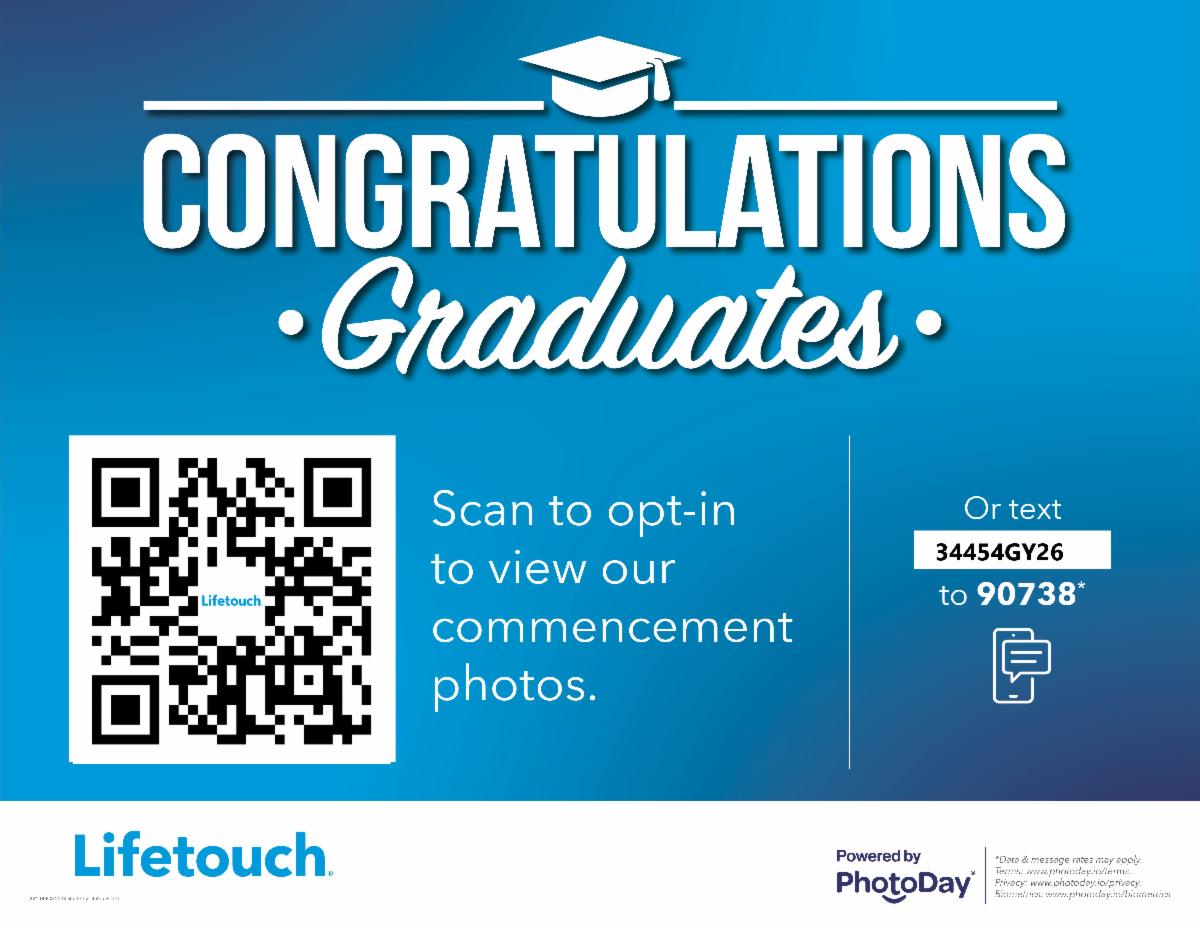
Scan the QR Code here or *text the Gallery Access Code: 34454GY26 to number 90738.
-
Visit galleries.photoday.io and enter the Gallery Access Code: 34454GY26.
-
Use pre-order link here.
-
FaceFind – simply upload a photo of the graduate and the facial recognition tool automatically finds their photos in the collection.
-
Tags – search photos by category (portraits, handshake, or candids for example).
-
All photos – view all photos in the gallery.
GRADUATION CANDID PHOTO GALLERY BY KRISTINA SIKORA, KMS PHOTOGRAPHY
 |
You may view and download additional candid graduation highlights taken by Kristina Sikora, KMS Photography in the Google Photo Album here.
COLLEGE TRANSCRIPTS
We will be sending final transcripts to colleges the first week of June. Transcripts will be sent automatically by your Counselor. Your final transcript will be sent to the college you named as "enrolling" in SCOIR. If you have already updated your SCOIR account indicating where you will be attending in the fall - you are all set and no further action is needed on your part.
ACTION REQUIRED MERCY GOOGLE ACCOUNT
Please be aware that your Mercy Google account and managed iCloud/Apple ID will be deactivated on August 1, 2026. After this date, you will no longer have access to emails or files stored on these platforms.
Here are the steps you should take before the August 1st deadline:
1. Google Workspace Data
To keep your emails and Drive files, use Google Takeout. This tool allows you to download a copy of your content or transfer it directly to a personal Google account.
-
Tip: This process can take several hours or even days depending on your file size, so we recommend starting this well before August 1st.
2. Apple iCloud (Photos & Files)
To save data associated with your school managed Apple ID, visit privacy.apple.com to request a download of your data. Alternatively, you can sign into the Google Photos or Google Drive apps with a personal account on your iPad to sync your files there.
3. Notability Notes
To ensure you don't lose your work, please use one of the two methods below to back up your notes:
Option A: Auto-Backup (Recommended)
-
Open Notability and tap the Gear icon (lower left).
-
Select Auto-Backup.
-
Choose a service (such as Dropbox, Google Drive, or OneDrive) and sign in with a personal account to upload your files.
Important Note: If you already have Google Drive backup turned on using your Mercy Google account, you must disconnect it first. Then, reconnect using your personal Google account to ensure your data is saved to a drive you will still be able to access after August 1st.
Option B: Migrating to a Personal iCloud Account If you prefer to keep your notes synced with iCloud, follow these steps:
-
In Notability, tap the Gear icon and turn iCloud Sync OFF.
-
When prompted to keep or delete your notes on the device, select "Keep on my iPad."
-
Go to the iPad Settings app, sign out of your school Apple ID, and sign in with your personal Apple ID.
-
Return to Notability and turn iCloud Sync back ON. Your notes will now sync to your personal account.
Note on Subscription: To continue using Notability’s premium features after graduation, you will need to purchase a personal subscription. However, even without a subscription, you will always be able to view and export your existing notes as PDFs.
4. Third-Party Accounts
If you used your Mercy email address to create accounts for services like Instagram, Spotify, or Dropbox, etc. please log in to those sites and change the associated email to a personal address before August 1st.
5. Your iPad After Graduation
Once you graduate, you officially own your school-assigned iPad! We will begin removing Mercy’s management settings and restrictions during the last week of May.
A quick note on device status: Even after school management is removed, your device may still display the message: "This iPad is supervised and managed by Mercy High School." when you open Settings. If you would like to permanently remove this message, you will need to erase your iPad and set it up as a new device.
If you have any further questions regarding saving your data or your iPad, please feel free to stop by the Tech Office or email tfjames@mhsmi.org.
RESOURCES & FORMS
Adopt a Seat
Leave a legacy for your graduate! For a minimum contribution of $200, you can Adopt a Seat in your graduate’s honor in Mercy's Auditorium. For further info or to Adopt a Seat, click here or contact the Advancement Office at advancement@mhsmi.org.
CONTACT INFO
2026 Class Officer Board: April Butler; Stella Coe; Jamiesha Faulkner; Grace Kim; Sophia Segars
Senior Moderators Gretchen Faunce and Brandi Lavely: seniormoderator@mhsmi.org
Dean of Student Affairs Eleasha Tarplin: edtarplin@mhsmi.org
Associate Principal Colleen McMaster: cmcmaster@mhsmi.org